QP Pro 2 Air Quality Monitor

QP Pro 2 Air Quality Monitor

€150,00
Sale price  €150,00 Regular price 
Skip to product information
QP Pro 2 Air Quality Monitor

QP Pro 2 Air Quality Monitor

Taxes are calculated at checkout.

€150,00
Sale price  €150,00 Regular price 

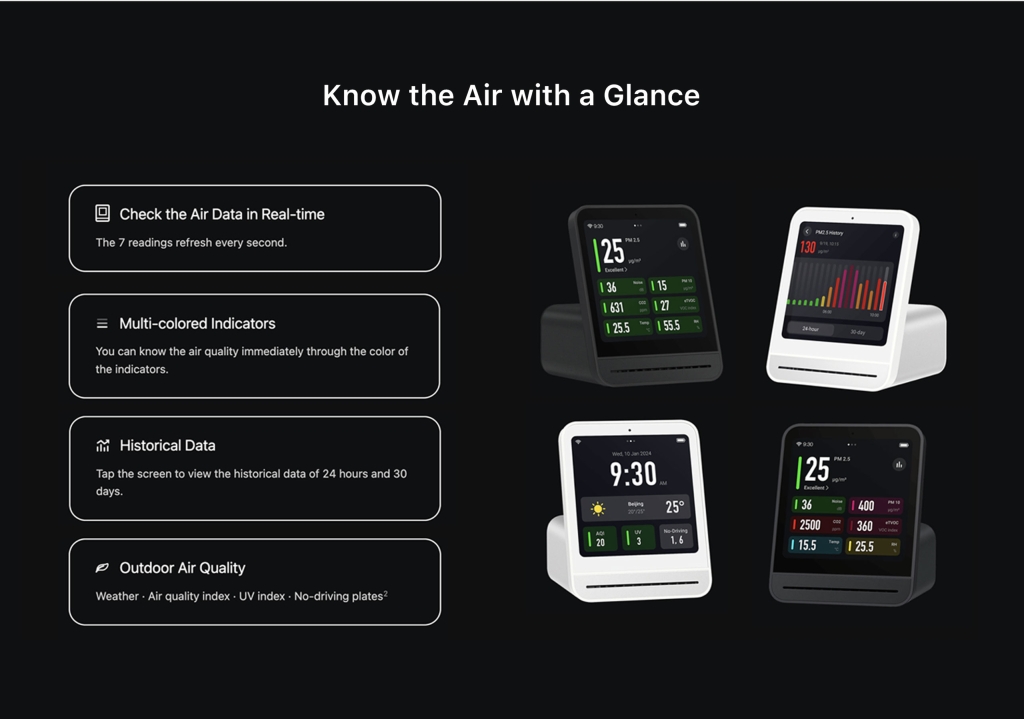
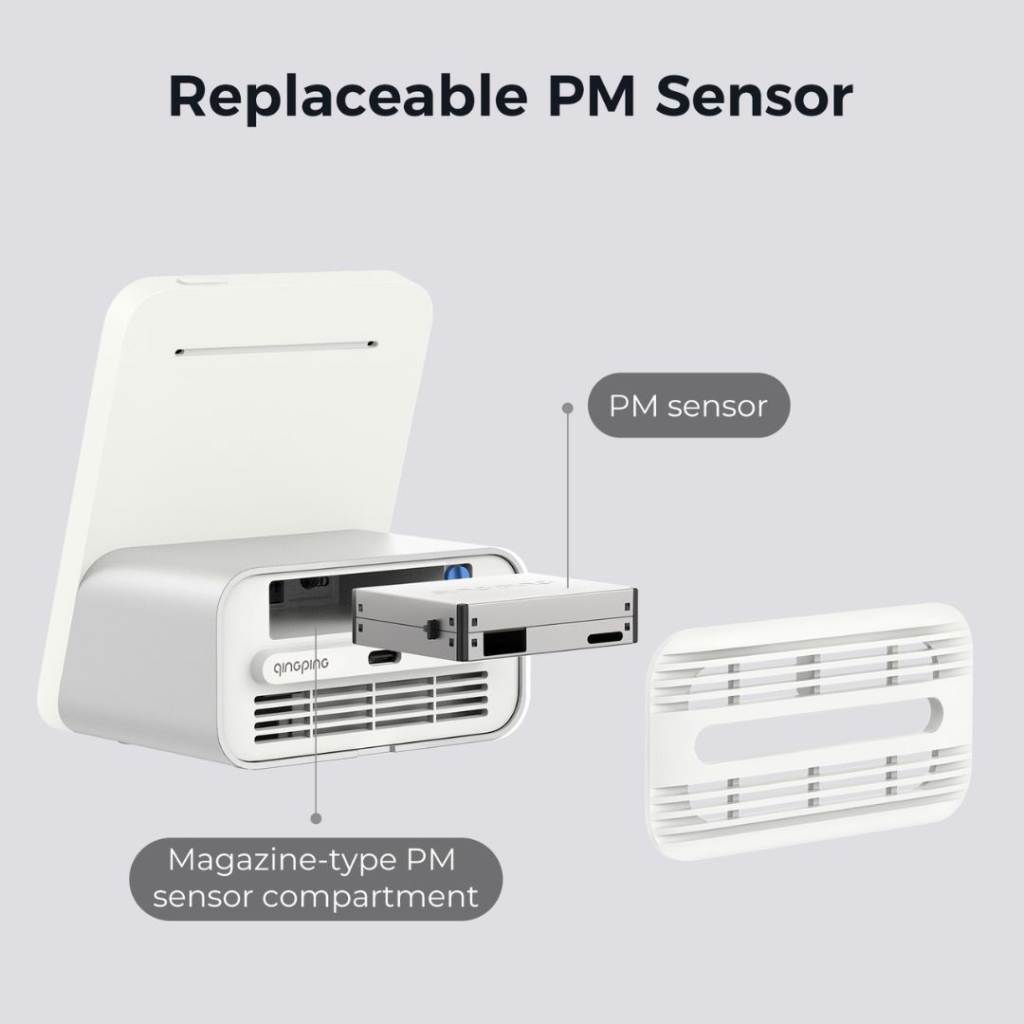
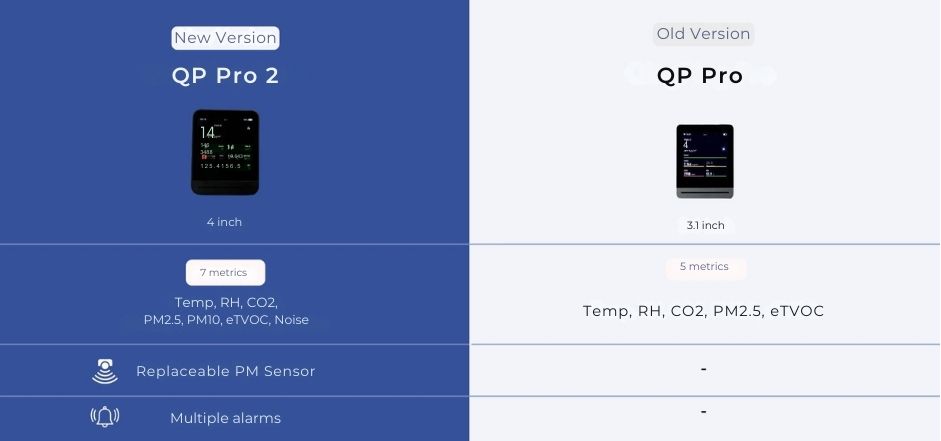
Introducing the QP Pro 2 air quality monitor – an essential tool to maintain high-quality indoor air. Track 7 metrics, including temperature, humidity, CO2, eTVOC, noise, PM2.5, and PM10 levels. With automated alert features, its sleek design, touchscreen interface, and advanced sensors ensure real-time monitoring and seamless integration with your smart home. Accuracy is backed by Smart Air's third-party tests. Available in black only.

Intentional design

We create with intention. Our products solve real problems with clean design and honest materials.

Quality first

We obsess over the details and strive to deliver the best products at the best prices, every time.

Customer care

We're always on your side: keeping our loyal customers happy is our top priority and number one goal.
Description

Experience a higher level of air monitoring

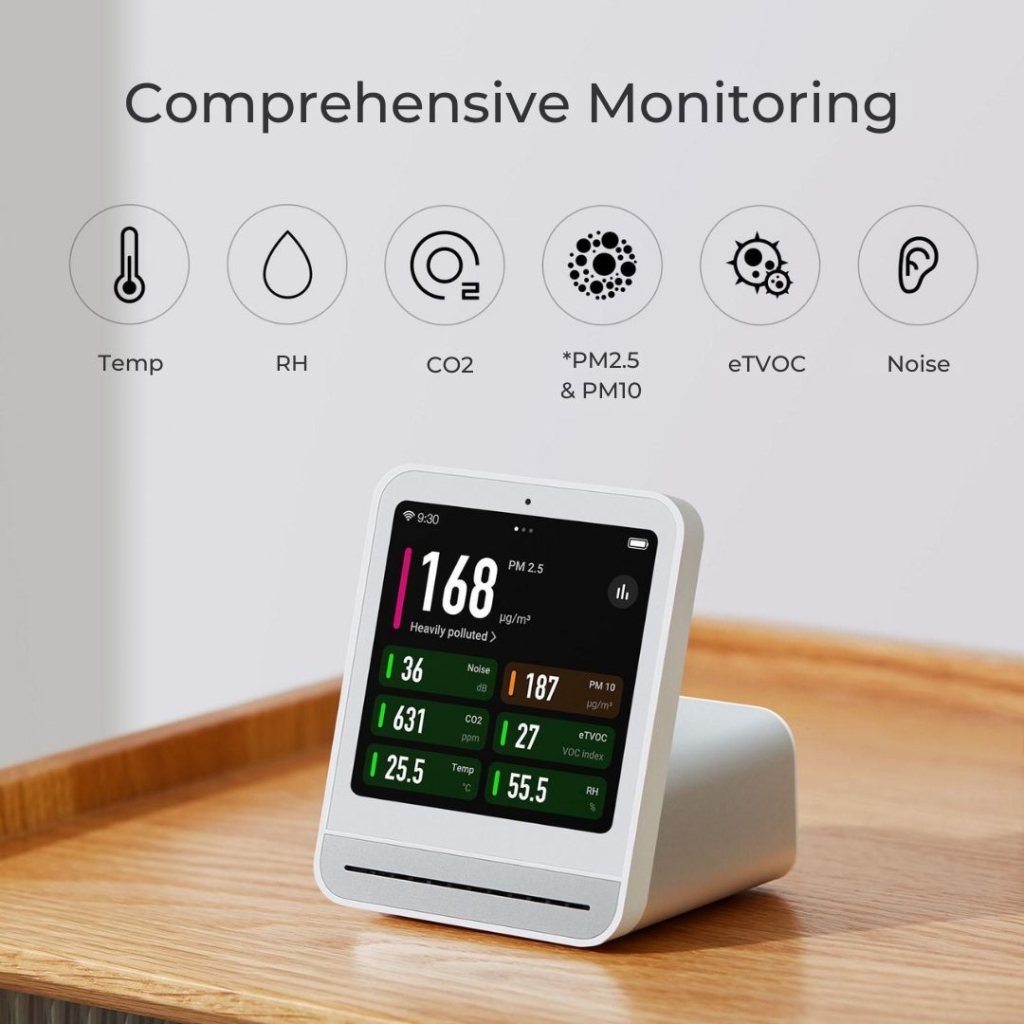
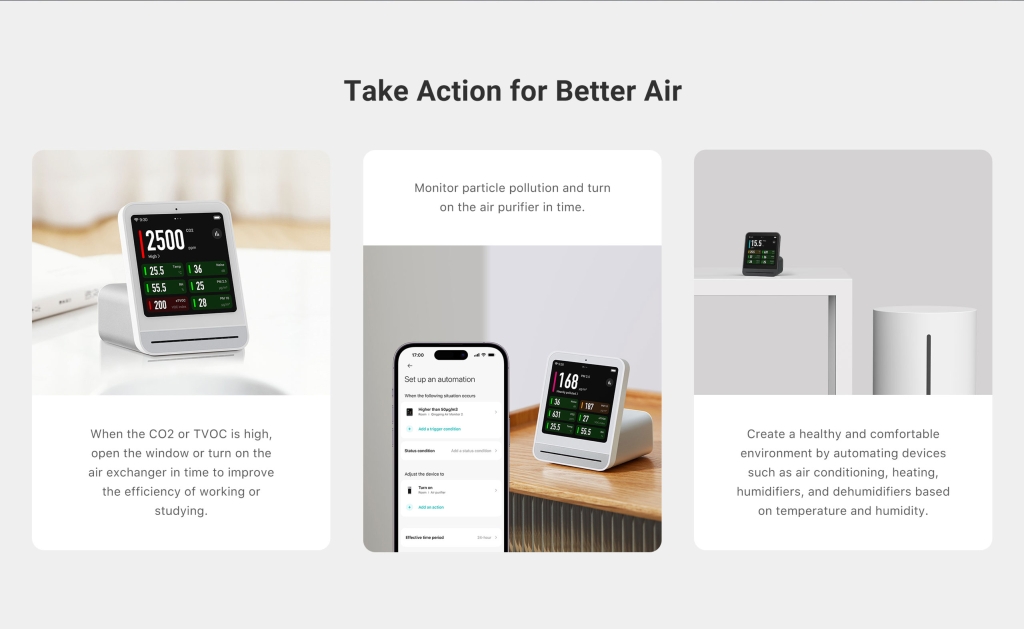
With 7 sensors in a single device, the QP Pro 2 offers unparalleled convenience and efficiency to help you manage your indoor air quality. It offers a holistic view of your environmental conditions and helps you proactively identify and address issues, such as poor ventilation, high pollution levels, or excessive noise.

*Fine dust particles such as PM2.5 and PM10, may infiltrate into our cardio-vascular system and lead to serious health consequences.

QP Pro 2 Documents

Product Manual Quick set-up video


Delivery information

In-stock! Delivered within 3-5 business days

Warranty

1-year

Frequently Asked Questions

My QP Pro 2 has arrived, what do I do?
To set up your QP air monitor, please follow these quick instructions: 1. Download the Qingping+ (basic) or Qingping IoT (advanced) app onto your phone and connect your monitor so you can access additional monitor settings 2. Go to the settings screen and check the firmware to see if any recent updates are needed on your monitor Our monitors are set to auto calibrate CO2. We recommend going through the settings to check all the defaults are right for you. Auto calibrate: As long as the device is exposed to around 400-500ppm CO2 for a few hours every month, you shouldn’t need to calibrate it. This can be done by taking the device outside or placing it next to an open window. If the device isn't getting enough exposure to outdoor levels, the sensors may drift over time. If this happens, you can reset the CO2 sensors in the Settings accessed via the app.
I am sensitive to EMFs and want to reduce them while measuring air quality. Do the Smart Air monitors produce EMFs?
The manufacturer has confirmed that it may be difficult for the air monitors to be set to airplane mode or block the surrounding signal. The good news is such device is essentially a signal receiver, which means as long as it is not actually connected to Wi-Fi or Bluetooth, it will only emit negligible EMF in comparison to a router or smartphone. A device picking up your monitor doesn’t mean they are connected and you can ask smart devices, such as TV or smartphones, to ignore your air monitor to avoid any unwanted connections. It isn’t easy to shut down the connection, or cut off the signal, on monitors as they are mainly operated via Apps, as are most monitors on the market.
Do I have to be connected to the Internet to use the monitor?
No, the real time air monitoring function works well without an internet connection. However, the device can only store historical data when connected to the internet.
Why can't I connect to the Wi-Fi?
The QP Air Monitors don't support Wi-Fi that requires authentication to be completed on a web page or information to be entered in a special login client. Please check the network signal before purchasing as the monitor currently only supports 2.4GHz or 2.4GHz/5GHz networks. It will not work on a 5GHz network. Some networks, eg universities or schools, may need to whitelist the following IP addresses: 39.106.170.175 161.117.178.131 74.211.104.158 And the devices use the following ports so it may help to open these too: 11883 443 80 1886
Do I have to be connected to the Internet to use the monitor?
No. The air monitoring function works well without an internet connection. However, when not connected to the Internet the time, weather conditions and remote viewing functions are unavailable.

Didn't find your answer?

Don't hesitate to contact us

You may also like